


The File Manager in cPanel lets you organize the files of your website from the browser.
1. Sign in to your cPanel account.
2. In the Files section, open File Manager.
3. Browse to the directory in which the new folder or file should be created.
4. Click +Folder.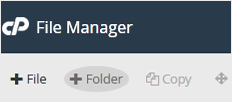
5. Type a name into the New Folder Name field, for example my-folder, and click Create New Folder.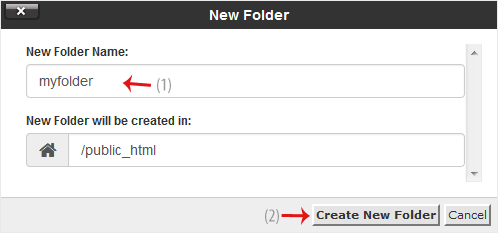
How to create a new file such as myfile.txt?
1. Open the directory where the file should be placed.
2. Click +File.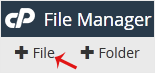
3. Enter a name in the New Filename field, for example MyFile.txt, then click Create New File.






