


How to Edit a Cronjob?
1. Sign in to cPanel.
2. In the Advanced section, open Cron Jobs.
3. Scroll to the bottom of the page. In Current Cron Jobs, find the job and click Edit.
4. Change what you need, then click Edit Line.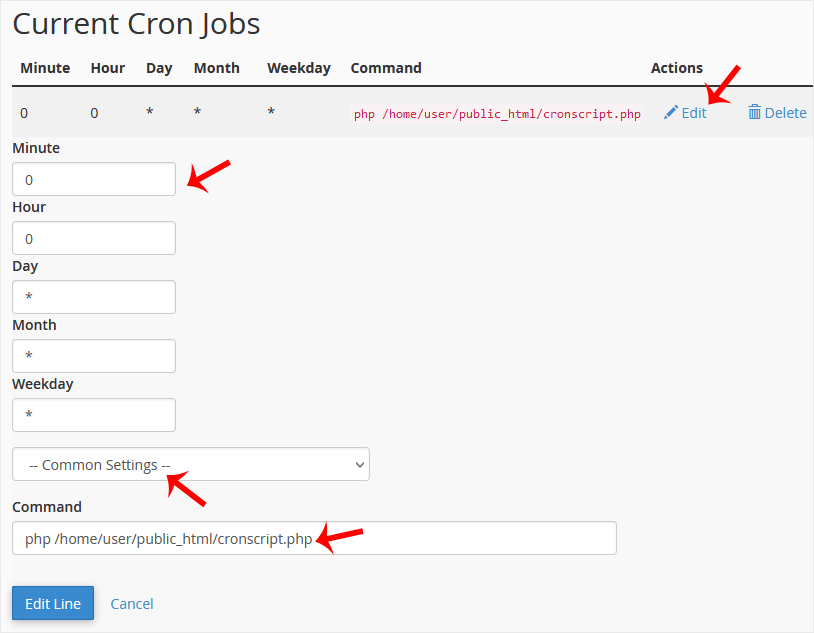
How to Delete a Cronjob?
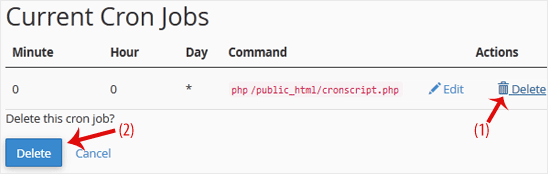
1. In Current Cron Jobs, find the job and click Delete.
2. When Delete this cron job? appears, click Delete again.