Softaculous installs web applications for you in a few clicks. This guide walks through setting up the Phorum forum.
1. Sign in to your cPanel account.
2. Open the Software section and click Softaculous Apps Installer.
3. The Softaculous interface opens in cPanel.
4. In the left-hand list, pick the Forums category, then choose the Phorum link.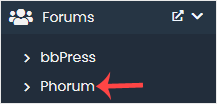
5. Click Install.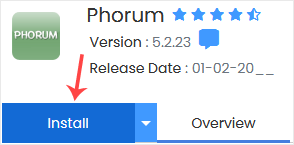
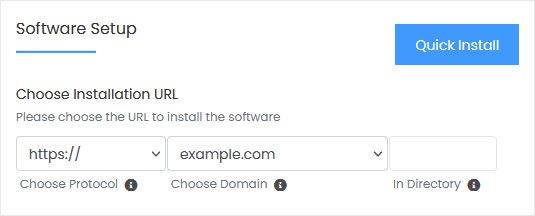
6. Complete the fields in the Software Setup block:
- Choose Installation URL: Select the protocol and the domain. To install into a subfolder such as example.com/directory, type the folder name into the "In Directory" field. For the main domain, example.com, leave that field empty.
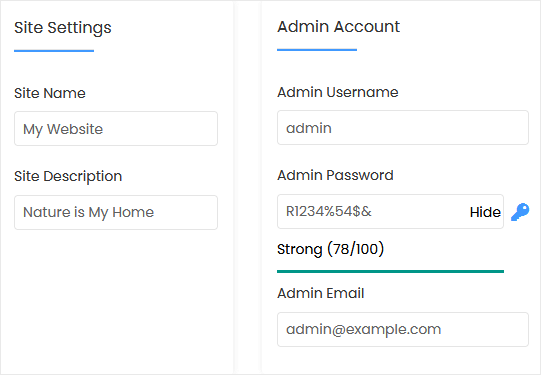
7. Fill in the Site Settings block:
- Site Name: The name of your forum, for example Gaming Forum.
- Site Description: A short description of your site.
8. Fill in the Admin Account block:
- Admin Username: The new administrator login (do not pick administrator or admin, which are easy to guess).
- Admin Password: Choose a strong password.
- Admin Email: Your email address, used for password resets and notifications.
Note: Save the admin username and password somewhere safe, for example in a text file. You need them later to log in to the admin area of your Phorum forum.
9. Advanced Options: You can leave these as they are, unless you want a different database name or automated backups. Keep in mind that frequent backups can use up a lot of disk space.
Finally, scroll to the bottom of the page and click Install.