


Optimizing a database in phpMyAdmin tidies its tables and reclaims unused space.
1. Sign in to your cPanel account.
2. Find the Databases section and open phpMyAdmin.

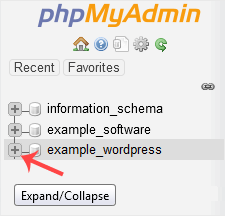
3. In the navigation tree on the left, press the Expand icon next to your database.
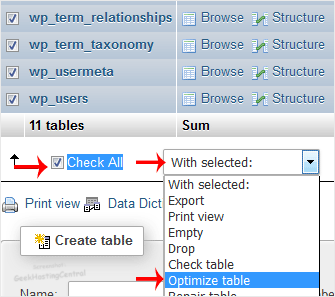
4. Scroll to the bottom, tick Check All, then open the drop-down list beside it and pick Optimize tables.
phpMyAdmin then confirms that the tables were optimized.






