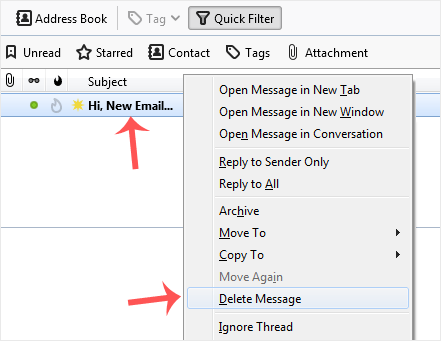
Deleting messages in Mozilla Thunderbird takes only a moment.
The protocol of your account decides what happens on the server. With POP, the message is removed only from Mozilla Thunderbird and a copy stays on the mail server. With IMAP, the message disappears from both Mozilla Thunderbird and the mail server.
1. Start Mozilla Thunderbird.
2. Go to the Inbox, right-click the message to remove and choose Delete Message.