


Categories keep your WordPress posts organized. They can be nested into sub-categories, and one post can belong to several of them.
1. Sign in to the WordPress dashboard.
2. In the dashboard menu, go to Posts and click Categories.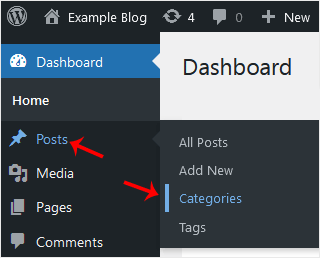
3. Enter the following details in Add New Category:
Name: The category name, for example Computer.
Slug: A slug of your choice, or leave it empty.
Parent: Keep None for a top-level category. Picking another category makes the new one its sub-category.
Description: A description of the category, or leave it empty.
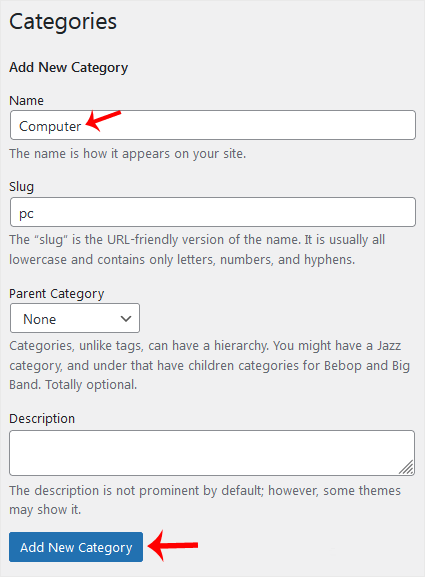
4. Click Add New Category.
That is all: the category now exists.






