


Plugins add new features to a WordPress site, from security tools to contact forms. You can install one directly from the WordPress dashboard in a few clicks.
1. Sign in to your WordPress dashboard.
2. In the left-hand menu, open Plugins and choose Add New.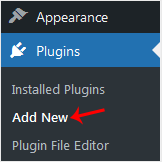
3. Use the Search box to look for a plugin. As an example, enter Security to list security-related plugins.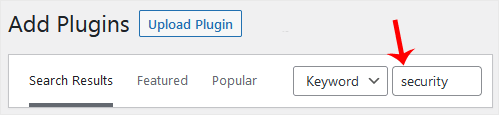
4. WordPress shows the plugins that match Security. Press Install Now beside the plugin you want.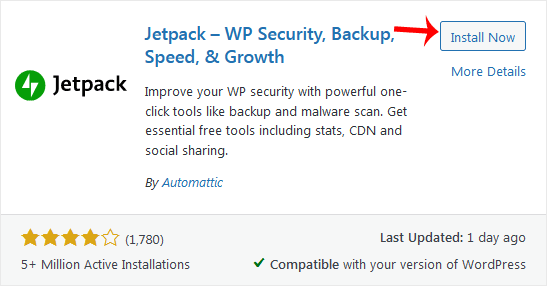
5. Wait a moment while the files are downloaded. When the button changes to Activate, click it.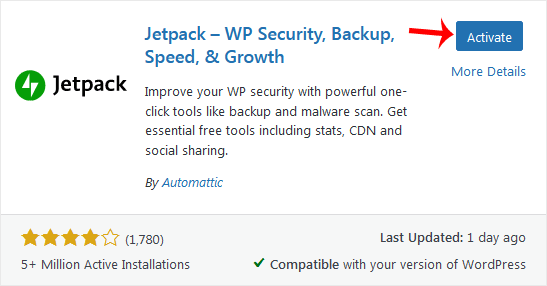
Note: Once a plugin is active, it usually adds its own entry to the dashboard menu. If it needs initial configuration, it will offer a setup option there.






