Outlook 2019 lets you pass a received message on to someone else in a few clicks.
1. Start Outlook 2019.

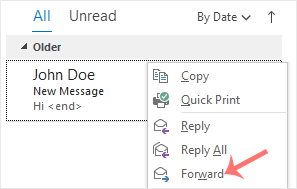
2. Open your Inbox, right-click the message to pass on and choose Forward.
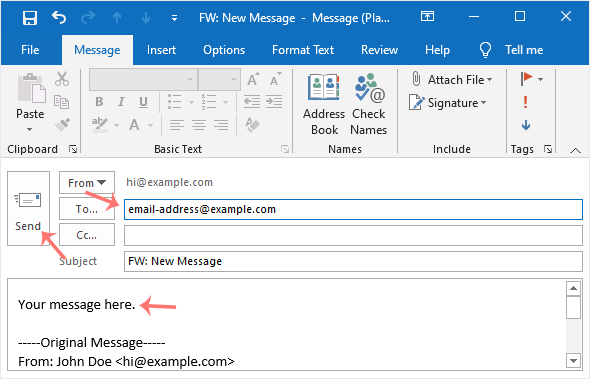
3. Put the recipient's address in the To field, add any text you like in the message area and click Send.