


Softaculous makes installing web applications quick and simple. The steps below cover installing PHP-Fusion.
1. Sign in to your cPanel account.
2. In the Software section, open Softaculous Apps Installer.
3. cPanel opens the Softaculous interface.
4. In the left-hand menu, expand the Portal/CMS category and select PHP-Fusion.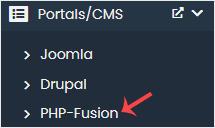
5. Press Install.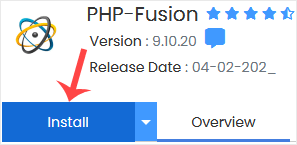
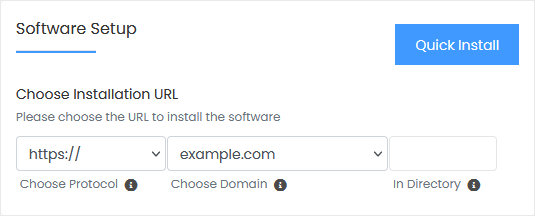
6. Complete the fields in the Software Setup block:
- Choose Installation URL: Select the protocol and domain. To install into a subfolder such as example.com/directory, type the folder name in the "In Directory" field. To install on the main domain (example.com), leave that field empty.
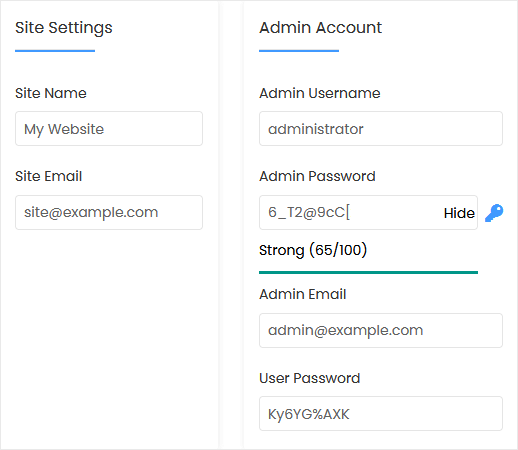
7. In the Site Settings block, provide:
- Site Name: The name of your site, for example PHP-Fusion.
- Site Email: Your email address.
8. In the Admin Account block, provide:
- Admin Username: The username for your new PHP-Fusion site. For security, avoid the names administrator and admin.
- Admin Password: A strong password.
- Admin Email: Your email address.
- User Password: A strong password.
Note: Save the admin username and password somewhere safe, for example in a text editor. You will need them to sign in to the administration area of your PHP-Fusion site.
9. Advanced Options: You can skip this block unless you want a different database name or automatic backups. Keep in mind that frequent backups can use up a lot of disk space.
Finally, scroll to the bottom of the page and press Install.